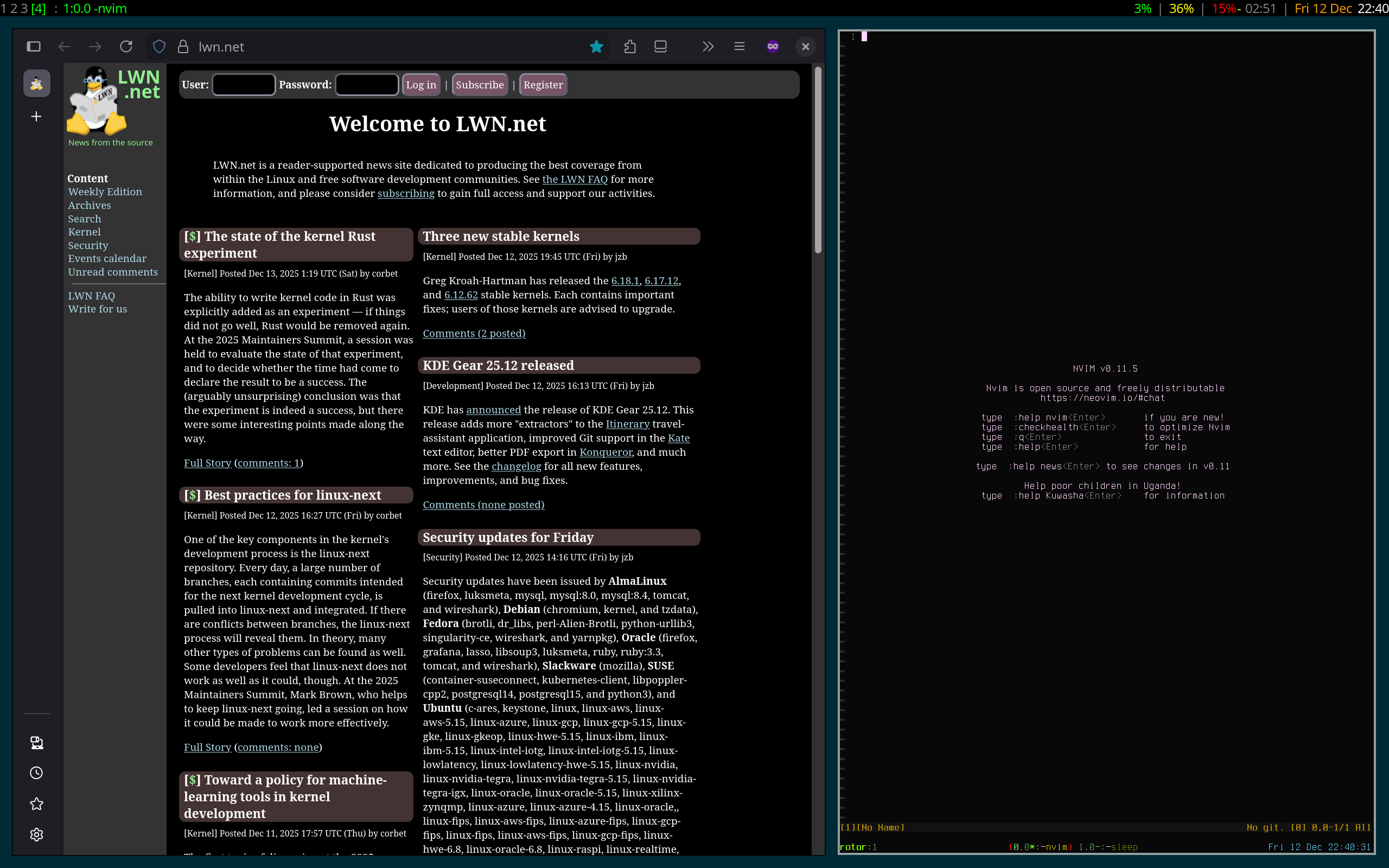
This summer, I got a new laptop for my job. It came pre-installed by the sysadmin team with Fedora 42 (upon request; Ubuntu LTS is the norm). Since it came with Wayland already, I decided to use it as a forcing function to finally take the leap to Wayland. However, I had not yet set up my dotfiles to actually support running River. So I forced myself to use GNOME until I was done. This took far longer than it should have, but such is life.
Getting Hooked on Tiling
My dotfiles were started back in early 2010 when I decided to build things up from a “I am at a TTY. What is next?” situation. I had been presenting on an eeePC 900 and the OOM killer visited X due to memory consumption. At the time, I was using KDE as I had since I started with Linux back in 2006, when I was “onboarded” by Kevin Kofler from the Fedora KDE team through my connections in the TI calculator community. Since I wanted the same setup on all of my machines, I decided to start from the ground up and add things incrementally. Luckily my course load was such that I had enough time to do so.
Of course, one of the first things to do is to start X. But the default TWM
leaves a lot to be desired. My first “barebones” window manager was
ratpoison. This is a tiling window manager that aims to “kill
the rodent” by making the mouse unnecessary. It was, indeed, good at that, as I
once had my T61 dotfiles (where the trackpad is disabled due to having a
trackpoint) “leak” onto my netbook where the trackpad was all I had. It took a
few days for me to discover what was going on and get the trackpad working
again. But I still managed to get by without a mouse at all during that time.
One thing that ratpoison did get me hooked on was “submaps”. Basically,
instead of “naked” keybindings, window manager actions are more like tmux or
screen where they are sequences of keys. I ended up with <Ctrl>i as my
prefix, so banishing the mouse (setting its location to the lower-right corner)
was <Ctrl>i followed by z.
Eventually, I desired some more…advanced tiling support and landed on XMonad.
It helped that I was also on a Haskell kick around that time. I even wrote and
contributed a few
modules to support my desired configuration. My
xmonad.hs ended up fairly long at around 650 lines, and that’s with a bunch
of list comprehensions making a few dozen bindings at a time.
The main benefits of XMonad, to me, were:
- stability: rarely did my configuration need major reworks due to decisions I didn’t make
- per-workspace layout decisions: each workspace had its own layout memory instead of such changes affecting all workspaces at once
- rich API for actions: I was able to make bindings for things like “swap workspaces on two monitors” and “send this window to another workspace” using absolute or relative commands
- monitor behavior: each monitor viewed a workspace and could be swapped at will
- support for status bar per monitor: with (contributed) support to manage them as monitors came and went
Other than that, it was a pretty standard tiling window manager setup.
GNOME Thoughts
Fast forward to July of this year when, after 15 years of using XMonad, I was
using GNOME. It was…fine. Some things I found annoying, but it was nice to at
least see what kinds of things are available when starting to build up my
actual river setup (notably the multi-finger tap support on the trackpad).
One of my biggest annoyances is with the app-centric model. As one might
imagine, I live in a terminal most of the time. This means each workspace I use
has two applications: Firefox and foot (it was urxvt256c in X). If I
switched to Firefox on one workspace, it would “pop” to the top in other
workspaces as well. Sometimes there was even a race when changing workspaces
quickly that would put me “back” at the old workspace. For someone who is more
task-centered, this was quite jarring.
Notifications being in the center of the screen was also obnoxious. Since I was using tiling, if a terminal was on the right side, a prompt at the top of the window would be obscured. And I never did find a keybinding to dismiss them, so I had to use the mouse.
There were other annoyances, but they’re “standard” behaviors. I can say that it behaves better than Windows or Apple’s window management at least.
Using river
Getting river set up took some fiddling to integrate with my systemd user
session. In 2013, I started using systemd to manage my user session. I don’t
know how early I was to the “party”, but I think I was definitely one of the
first based on the issues I ended up running into. Unfortunately, this meant
that display managers are not really suitable for me because they start the
session directly instead of “just” letting systemd handle everything using unit
files. It also means that I have some different .target units compared to
what most programs provide on their own, so I end up ignoring system user units
for the most part and writing my own.
So I had to ditch gdm and instead start back at the TTY again. No big deal.
However, I did have to discover some new unit features to make things truly
work. Unlike X where the X server starts and the window manager sort of “hooks
in” later and a simple After=xorg.target would suffice to make sure that
anything wanting X didn’t start before an X socket was ready, river needs to
make sure that everything waits until it is done. This means using
Type=notify to make sure that systemd doesn’t start other services before
river has made everything available.
Since river’s configuration is “just” an executable file that calls
riverctl, systemd-notify --ready is the obvious solution to this. However,
systemd is clever and can detect when something is trying to “impersonate” the
service and ignores it unless NotifyAccess=all is used. Without this, systemd
would “timeout” river.service and kill it, taking the whole session down. But
I’d get glimpses of it for up to a minute.
Benefits
There have been two main benefits of starting to use river: battery life and
latency. There’s also the “everything is tiled again”, but that was something I
expected.
Battery Life
One thing about the new laptop is that its battery life is fantastic. The BIOS (or what does one call it when it is UEFI-based these days?) allows me to cap the battery charge to 80%, which has, so far, kept the battery nice and fresh. We’ll see after 3 years when the battery life in this brand tend to take a nosedive based on my previous 4 laptops of theirs.
GNOME reports a battery life from this 80% max of around 8 or 9 hours. Not the best on the market, but it definitely feels nice. However, this is when the machine is idle. Once you start running Firefox with a few chat app tabs (Google Chat, Slack, Discord, etc.), it definitely starts to get worse.
With river? I have seen 11 hour estimates at 49% now. Granted, this is idle,
but even with streaming music, watching GitLab logs in Firefox, and editing,
I’m seeing over 2.5 hours left at 21% (it goes to 3.5 when I change to an idle
Firefox tab in the foreground). This is on par with arm64 macOS laptops. Now,
it does assume some powertop tweak applications (something I do by default on
all machines now), but that is not too hard for distributions to enable by
default.
I don’t know what was taking up so much in GNOME, but with this knowledge, I’m
glad that I am able to use a tiling window manager like river. Perhaps GNOME
can resolve whatever issue(s) are sapping battery life, but I imagine it means
trimming down quite a few things.
Latency
Another major benefit latency. GNOME had this weird habit of lagging at times,
which was definitely noticeable when a build was going on in the background
(but that is nothing new for Linux users). It also (usually) has a nice
workaround: use the -l (load average) flag on make or ninja and you’re a
lot better off. Other times it would just be a “stutter” that would pause
everything mid-animation for a second or two. These I could deal with. What I
could not abide was keys stuttering in mpv. I don’t know what it was, but
mpv would end up getting duplicate key events during these stutters. Which is
really bad when the key is “double speed” or “half speed”. I’d end up with
mpv slammed at either 100x or 0.01x. Luckily mpv accepts input on the
terminal too which did not have such issues.
But in river, things feel more responsive. foot responds instantly and
scrolls on demand. Firefox tab management also feels faster. mpv also feels
faster. The lack of animation on workspace changing is also helpful in the
subjective feel.
I don’t really use many apps beyond those for further comparison, but for my workflow, the improvement in responsiveness is significant.
Conclusion
I’ll definitely continue to use river, and I’ll need to do some development
to truly replicate my XMonad setup. Supporting submap bindings and “toggle
hooks” (flags that change the behavior of the next window) come to mind. I
also probably need to do some work to mask the underlying “tag” model with
workspaces. Luckily, I’m fine with “just” 9 of them. Perhaps all of these are
doable with the new “river window management” protocol that just landed in the
past week.

Comments
March 24, 2026 03:28
The theme offers impressive and fresh discoveries and information access. Each slope free level is continually changing, providing a sense of surprise and an endless challenge. Vibrant neon colors paired with fast-paced gameplay provide an adrenaline-pumping experience that makes it difficult to take your eyes off the screen.